• Ready to use
  • Transparent pricing
  • Cancel any time

Your menu.
On your screen.

Show dishes, daily specials and promotions on your TV. Content and prices come from your admin workspace.

€9.99excl. VAT / month per business

  • Menu & prices straight from Keksu
  • Your own image slides & QR promotions
  • Set schedules & slide order
  • Updates within a minute
  • TV or streaming stick with a browser
  • Multiple screens per business
Try for free Open TV display

You control
what runs on the TV.

Choose dishes and promotions. Changes appear on the TV within a minute.
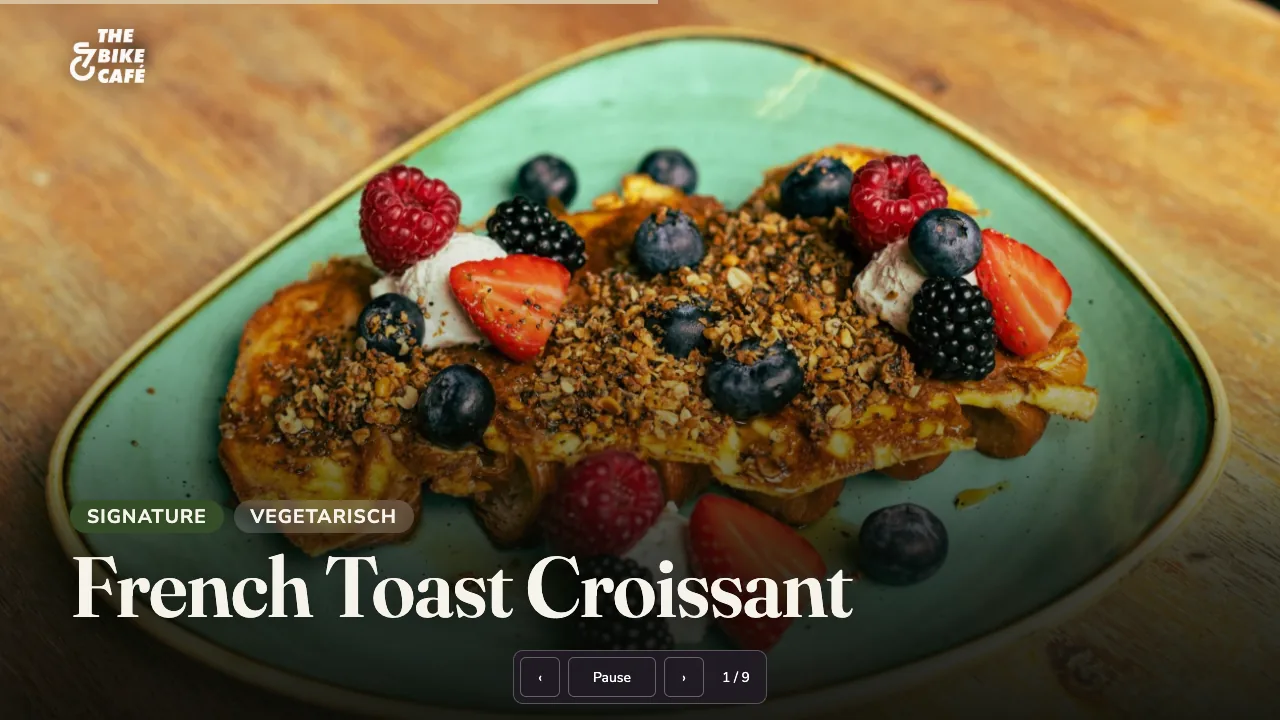
Keksu TV display in the example business: dish with photo, name and price
The TV display of the example business
keksu.de/beispiel-cafe
Keksu admin: TV display with highlights and sequence
TV admin: content and sequence

Original screens from our demo venue; the screenshots show the German interface.

What it does for your venue

One menu.
On your screen too.

Your menu becomes a screen

Dishes with photos, names and prices. Updates from your menu within a minute.

A promotion at the right time

Add your own image slides and banners with QR codes. Use the schedule to choose when content is visible.

Set up and let it run

Open the display in your TV or streaming stick's browser. Set slide duration and price display in management.

What's included

What's included.

See all features

Content

  • Highlights with photo, name and price
  • Your own image slides and banners
  • QR codes for vouchers or events
  • Show or hide prices

Sequence

  • Duration per slide
  • Promotion period with start and end
  • Order by drag & drop
  • Changes on the TV in under a minute

Display

  • TV with browser or streaming stick
  • Full screen with one click
  • Runs around the clock
  • One link per screen

Working together

  • Highlight selection applies to website and TV
  • Dishes, photos and prices from one source
  • With the Marketing module: voucher promotions
  • Several screens per venue

A suitable screen or streaming stick is not included in the module price.

Good to know.

Which screen do I need?

A TV or monitor with a browser – for example a smart TV or a streaming stick like Fire TV or Chromecast. Hardware is not included in the module price.

How quickly do changes appear?

Within a minute. The display fetches content and sequence automatically from your admin.

Can I run several screens?

Yes. Each screen opens the same link or its own selection, for example counter and dining room.

Related modules.

One menu. On your screen too.

Manage products in one place and show them in your venue.

Try the TV display for free 30 days · no payment details · no paid subscription
Help

Questions? We can help.

Ask the AI assistant or write to us.

Hi! I am the Keksu AI assistant and answer questions about Keksu: pricing, modules, hardware, trial. What would you like to know?

You are talking to an AI assistant. Answers are non-binding and not legal or tax advice. Please do not enter personal data.

AI answers can contain errors. Binding are /preise, our terms and our team.

Or contact us directly:

030 75434763Call info@keksu.deEmail – support on working days Send a message