
Free kitchen display
View orders on a tablet in the kitchen or bar. Tap to start preparation or mark an order as ready – no paper tickets needed.
Orders, payments and reports. Admin workspace included.
* TSE setup fee €79.99.
* TSE setup fee €79.99.
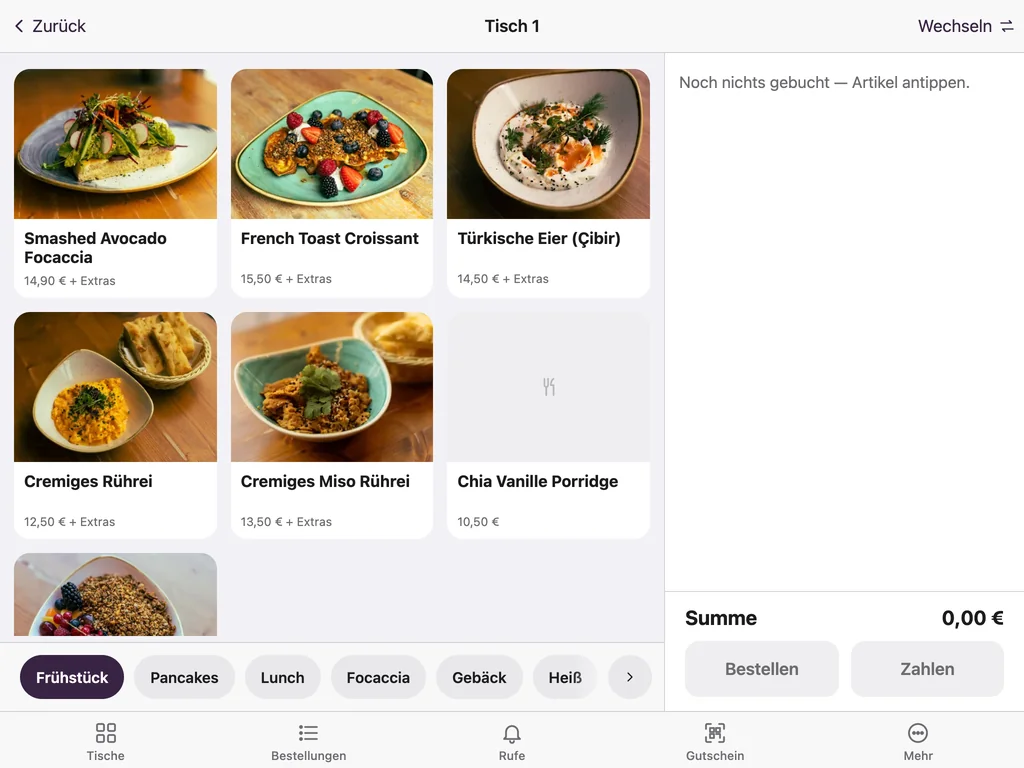
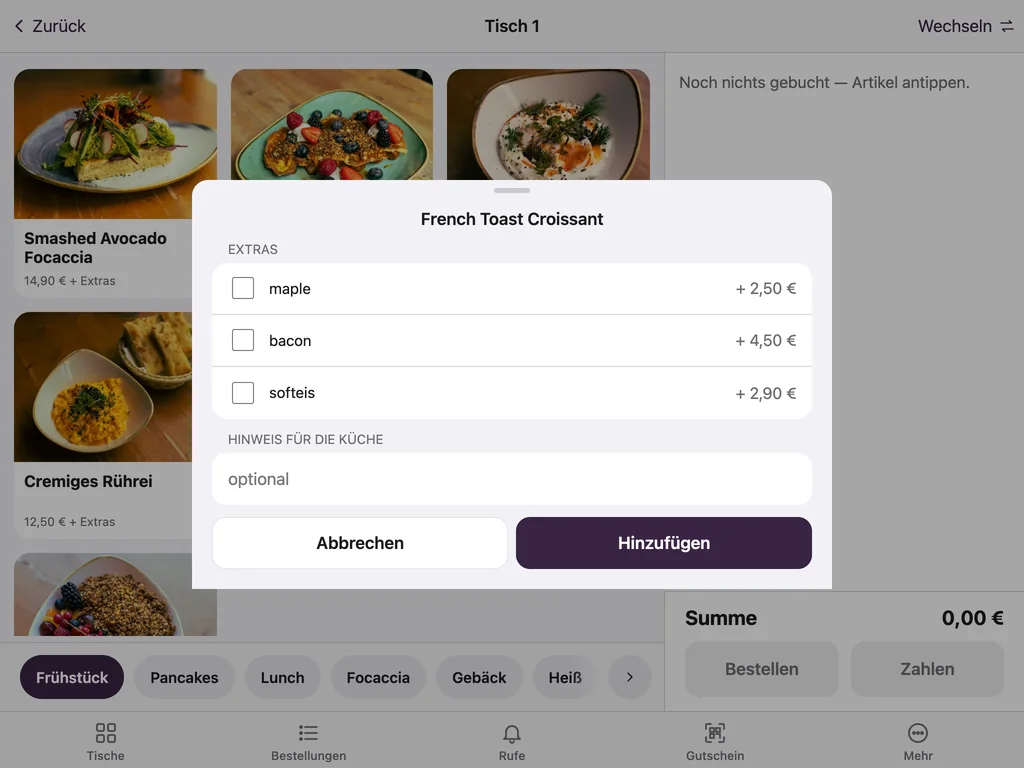
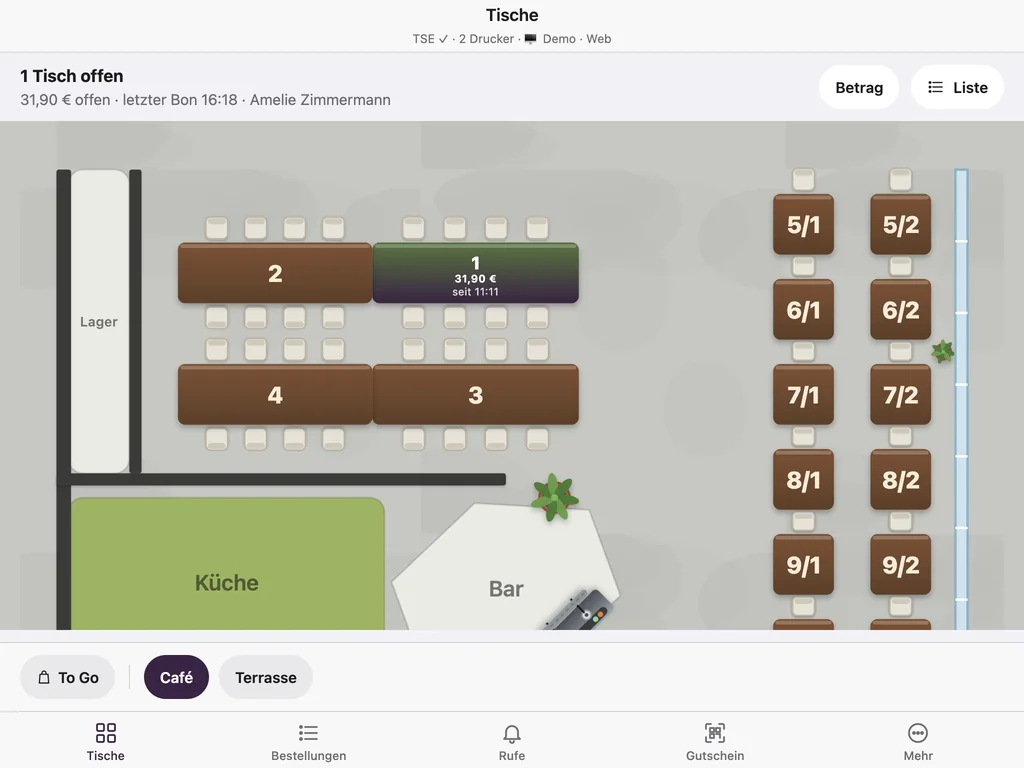
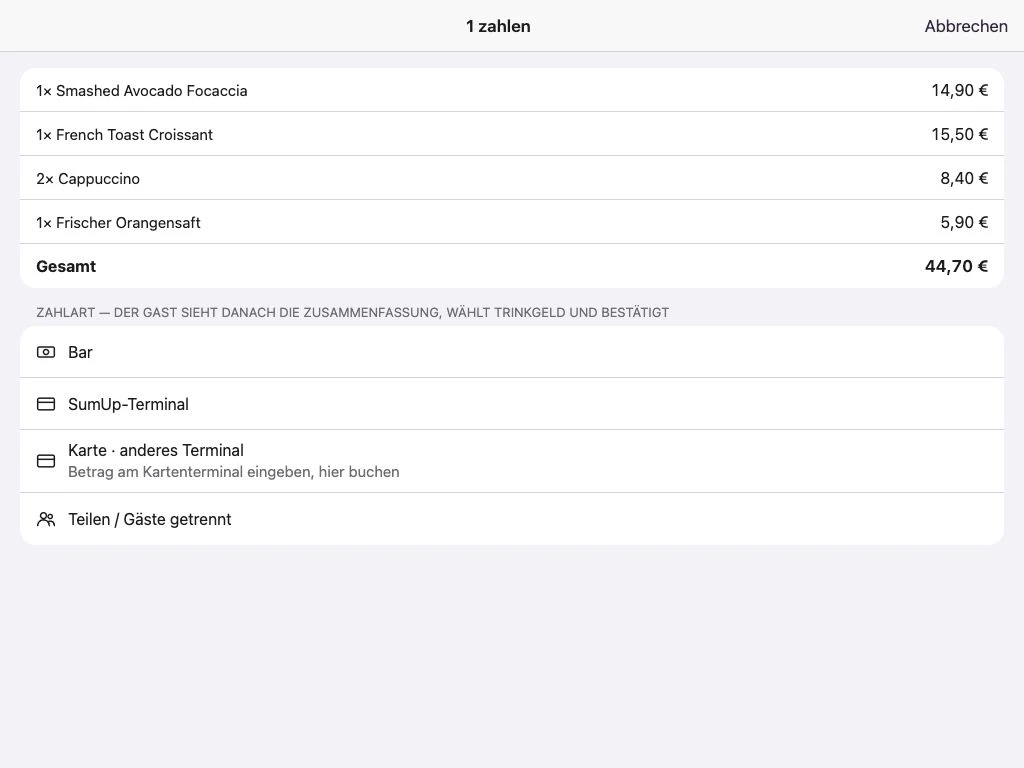
Original screens from our demo venue; the screenshots show the German interface.
View orders on a tablet in the kitchen or bar. Tap to start preparation or mark an order as ready – no paper tickets needed.
Ordering, cash payments and ticket printing keep working. Everything syncs automatically once the connection is back.
Cash book, Z reports and export in DATEV format (EXTF) included. With active TSE: signed receipts and DSFinV-K exports.
Manage items, prices and reports centrally in the free admin workspace. Find suitable devices under Hardware.
Your first POS device and admin workspace are free. Each extra device costs €9.99 per month. TSE: a one-off €79.99 per venue, no running costs. All prices exclude VAT.
Orders, cash payments and payments processed on a separate card terminal can be recorded offline and synced later. Multiple POS apps can also sync without internet when all devices are on the same local network. The main POS device must stay switched on with its POS app open. This is the first POS device to log in each business day, marked with a star (★). A permanently running main POS is not needed when online. Receipts print over local Wi-Fi. Integrated card terminals, cloud TSE and QR ordering need internet.
We set up the TSE for your location; it covers all POS devices there. Once connected, your receipts are signed and the DSFinV-K export is available. We prepare the POS registration with the tax office together with you.
Cash and card payments using any card terminal. With a separate terminal, you enter the amount on the terminal and record the payment as a card payment in Keksu. SumUp terminals are directly connected and receive the amount automatically. Terminals with a ZVT interface (Payone, Nexi, CCV, Worldline) and Tap to Pay on iPhone are in development.
Epson-compatible network receipt printers for kitchen tickets, bar tickets and customer receipts. All printers and tablets must be connected to the same router, either by Ethernet cable or Wi-Fi. We do not support Bluetooth printers because we cannot guarantee a stable connection. Alternatively, use the free kitchen display on a tablet.
Yes. Use the browser on a tablet or computer, or the Android app. The native iPhone and iPad app is coming. Ask us about suitable hardware.
Try the POS with sample data. You can cancel the software and modules at any time.
Questions? We can help.
Ask the AI assistant or write to us.
You are talking to an AI assistant. Answers are non-binding and not legal or tax advice. Please do not enter personal data.
AI answers can contain errors. Binding are /preise, our terms and our team.
Or contact us directly:
030 75434763Call info@keksu.deEmail – support on working days Send a message